


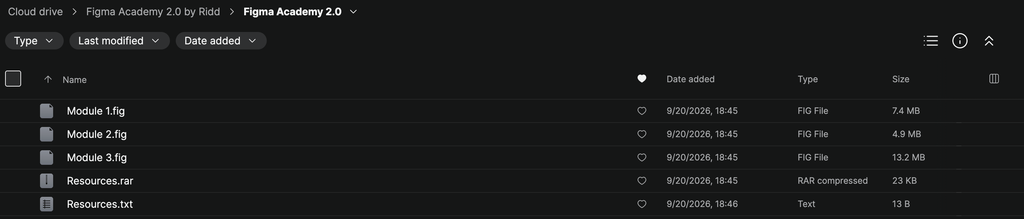
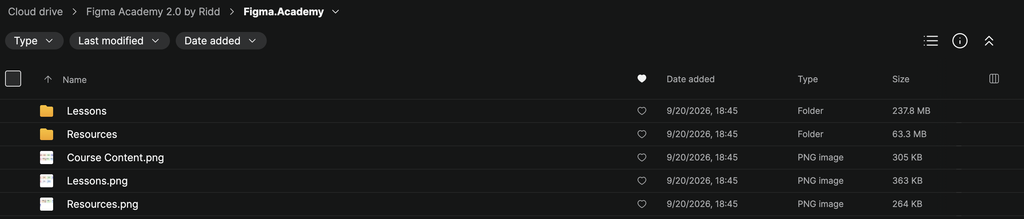
Figma Academy 2.0 by Ridd (Michael Riddering) is an advanced, hands-on Figma course created for product designers who want to move beyond basic tool knowledge and develop the workflows, systems, and technical skills used by professional design teams.
Rather than teaching Figma as a collection of isolated features, Figma Academy 2.0 focuses on helping designers understand how to build scalable products inside Figma. The training covers advanced workflows such as variables, design systems, components, responsive layouts, prototyping, developer handoff, and systematic interface design.
The goal is simple: help you become faster and more intentional in Figma while producing designs that are easier to maintain, scale, prototype, and hand over to engineering teams.
What Is Figma Academy 2.0?
Figma Academy 2.0 is designed around learning by building.
Instead of spending hours watching disconnected tutorials, students work through practical design concepts directly within the Figma environment. This makes it easier to understand not only how a feature works, but also when and why professional product designers use it.
The program helps bridge the gap between knowing how to use Figma and knowing how to build sophisticated product interfaces with it.
You’ll explore the workflow behind:
Interface Design → Components → Variables → Design Systems → Prototyping → Developer Handoff
Each area builds toward a more efficient and scalable product design process.
What You’ll Learn Inside Figma Academy 2.0
Advanced Figma Workflows
Develop a deeper understanding of Figma and learn how experienced designers structure their work.
You’ll explore better approaches to organizing files, creating reusable elements, maintaining consistency, and designing interfaces that can evolve without becoming difficult to manage.
The focus is on creating a workflow that remains efficient as projects become larger and more complex.
Variables
Learn how to use Figma Variables to create more dynamic and scalable design systems.
Variables can help designers manage reusable values across interfaces and reduce repetitive manual updates.
You’ll learn how variables fit into modern product design workflows and how they can be incorporated into more sophisticated systems.
This is particularly useful when working with:
- Colors
- Spacing
- Design tokens
- Themes
- Component states
- Reusable values
- Larger product systems
Instead of manually changing dozens of individual elements, you’ll understand how to create centralized systems that are easier to maintain.
Design Systems
One of the central areas of Ridd’s Figma Academy 2.0 is learning how to think systematically about interface design.
You’ll explore how reusable foundations can help maintain consistency across an entire product.
Topics include concepts surrounding:
- Components
- Component architecture
- Variants
- Styles
- Variables
- Reusable patterns
- Design tokens
- UI consistency
- Scalable libraries
The objective is to move away from designing every screen independently and toward building a reusable design language.
Components and Reusable UI
Components are one of the foundations of scalable Figma projects.
Figma Academy helps you understand how to structure reusable interface elements so changes can propagate throughout a project without requiring endless manual edits.
You’ll develop a stronger mental model for determining:
What should become a component?
How should variants be organized?
When should components be nested?
How can a component remain flexible without becoming unnecessarily complicated?
These principles become increasingly important when working on larger products or collaborating with other designers.
Advanced Prototyping
Static screens only communicate part of a product experience.
The course explores advanced Figma prototyping so you can communicate interactions, user flows, transitions, and product behavior more effectively.
Instead of simply linking one frame to another, you’ll learn to think about prototypes as representations of how a real product should behave.
This can help when presenting concepts to:
- Stakeholders
- Clients
- Product managers
- Developers
- Other designers
Better prototypes can make product decisions easier to communicate before development begins.
Responsive Interface Design
Modern products need to work across different screens, layouts, and content conditions.
Figma Academy teaches you to approach layouts as systems rather than static compositions.
You’ll develop stronger instincts around responsive behavior, spacing, hierarchy, reusable structures, and flexible components.
The result is a workflow better suited to real product environments where content and screen dimensions constantly change.
Developer Handoff
Great product design doesn’t end when the mockup looks finished.
A design eventually needs to become a working product.
Figma Academy 2.0 therefore places emphasis on creating files and systems that engineering teams can understand and implement efficiently.
You’ll learn principles for making your designs clearer and more development-friendly through better:
- Component organization
- Naming
- Layout structure
- Design tokens
- Variables
- Documentation
- Interaction communication
- File organization
The objective is to reduce ambiguity between design and development.
Professional Product Design Mental Models
One of the most valuable aspects of advanced Figma training is learning how experienced designers think, rather than simply memorizing shortcuts.
Throughout the program, Ridd introduces mental models that can help you make stronger decisions about:
Structure → Reusability → Consistency → Scalability → Communication
These principles extend beyond Figma itself.
They can influence how you approach product design, collaboration, and design systems throughout your career.
What Makes Figma Academy 2.0 Different?
There are thousands of tutorials explaining individual Figma features.
Figma Academy takes a more integrated approach.
Instead of learning variables in one tutorial, components in another, and prototyping somewhere else, the program helps connect these concepts into a complete professional workflow.
That makes the course particularly useful for designers who already understand the basics but feel they are still using Figma inefficiently.
The emphasis is not simply on becoming faster with the software.
It’s about becoming a more systematic product designer.
Who Is Figma Academy 2.0 For?
Figma Academy 2.0 by Ridd is particularly suitable for:
- Product designers
- UI designers
- UX/UI designers
- Web designers
- Freelance designers
- Startup designers
- Design-system designers
- Junior designers developing advanced skills
- Intermediate designers looking to improve their workflows
- Designers collaborating closely with developers
It can also benefit self-taught designers who already understand Figma fundamentals but want a more structured path toward advanced product design workflows.
Skills You’ll Develop
By working through Figma Academy 2.0, you’ll strengthen your understanding of:
- Advanced Figma workflows
- UI and product design
- Figma Variables
- Design systems
- Components and variants
- Reusable interface patterns
- Responsive design
- Advanced prototyping
- Design tokens
- File organization
- Developer handoff
- Product design workflows
- Scalable interface architecture
- Designer-to-developer collaboration
These are practical skills that can be applied across SaaS products, mobile applications, websites, dashboards, design systems, and other digital products.
About Ridd
Ridd, also known as Michael Riddering, is a product designer and educator known for teaching practical Figma and product design workflows.
His teaching approach focuses heavily on helping designers understand the systems and mental models behind professional design work rather than simply demonstrating individual software features.
With Figma Academy 2.0, that philosophy is applied to a structured learning experience built around developing more capable, efficient, and technically informed product designers.
Final Thoughts
Figma Academy 2.0 by Ridd is a comprehensive advanced Figma training program for designers who want to transform the way they build digital products.
The program moves beyond basic interface creation and explores the systems behind professional product design, including variables, components, design systems, responsive layouts, advanced prototyping, scalable UI architecture, and developer handoff.
For designers who already know their way around Figma but want to work faster, build more scalable interfaces, collaborate more effectively with developers, and develop stronger product-design systems, Figma Academy 2.0 provides a structured path toward a more professional Figma workflow.




Reviews
There are no reviews yet.